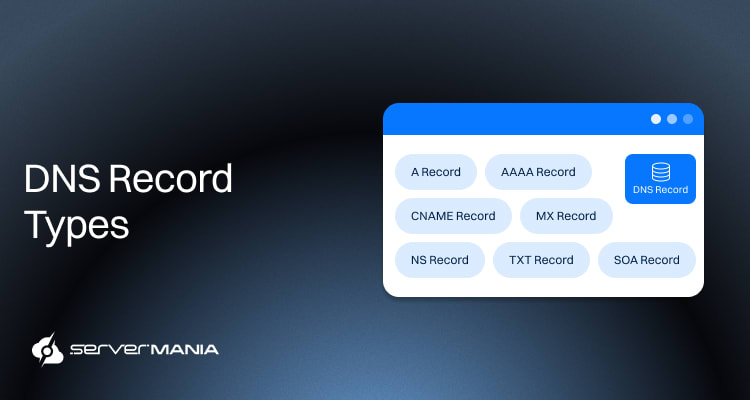
DNS, or “Domain Name System”, is the main way for the internet to translate humanly readable domain names into machine-readable IP addresses. It’s between your domain name and server. When the DNS fails, everything stops loading, errors start appearing, the mail stops flowing, etc.
To troubleshoot DNS efficiently, teams need to go beyond surface-level knowledge and grasp how DNS records work under load.
Here at ServerMania, we offer dedicated servers and cloud servers (AraCloud) with IP Leasing options for anyone dealing with high-traffic websites, mailservers and enterprise applications. To mitigate risks, we strongly encourage you to explore our services and balance top-tier hardware with a strong DNS foundation and network infrastructure.
In this guide, we cover the main DNS record types, how they work, where issues can happen, and how they impact server uptime. We also explore core DNS records, email authentication, service discovery, and newer record types relevant to dedicated and cloud infrastructure.
DNS Record Types (Core, Email, Security, and Service)
The DNS records straightforwardly affect how your domain behaves. The type of DNS records and their specific role control routing, verification, and security enforcement. That’s why it’s vital to understand how selecting the correct DNS record can optimize and balance a configuration.
The core infrastructure DNS records are responsible for handling all the basic routing and the authority of your domain. When they fail, it all goes down. The website stops loading, the web app is not opening, and your email flow halts.
Here are all the core infrastructure records:
A Record
The A record is the fundamental record for pretty much any type of infrastructure. The A record connects your domain to an IPv4 address. This is what allows a server to reach browsers. Every single website that is hosted on a dedicated or cloud server relies on an A record for mapping.
It’s really important to keep the A record updates in case of an IP address change, as the entire traffic could go to the wrong direction or fail completely.
| Field: | Description: | Example: |
| Record Type | Identifies the DNS record | A |
| Host | Domain or subdomain | servermania.com |
| Points To | IPv4 address | 192.0.2.10 |
| TTL | Cache duration in seconds | 3600 |
| Multiple Allowed | Supports round robin | Yes |
Here’s an example A record DNS configuration for servermania.com:
servermania.com.   3600   IN   A   192.0.2.10
www                3600   IN   A   192.0.2.10
This configuration directs traffic for both the root domain and the www subdomain to the same IPv4 address. It includes:
- Hostname: servermania.com
- TTL: 3600 seconds
- Class: IN
- Record type: A
- IPv4 address: 192.0.2.10
Note: The resolvers cache the IP for the duration of the TTL before requesting it again from the authoritative name server.
AAAA Record
The AAAA record is very similar to the A record, but is only used with IPv6 addresses. It maps the domain in 128-bit format for IPv6 IPs. This makes the AAAA record equally important, since many modern environments are adopting IPV6 due to the lack of available IPv6, shifting their infrastructure in a direction with a foreseeable future.
See Also: IPv4 vs IPv6 – What’s the Difference
| Field: | Description: | Example: |
| Record Type | Identifies the DNS record | AAAA |
| Host | Domain or subdomain | servermania.com |
| Points To | IPv6 address | 2001:db8::10 |
| TTL | Cache duration in seconds | 3600 |
| Multiple Allowed | Supports round robin | Yes |
Here’s an example of a AAAA record configuration with servermania.com:
servermania.com. 3600 IN AAAA 2001:db8::10
www 3600 IN AAAA 2001:db8::10
This configuration is enough to allow IPv6 clients to connect directly to the server over IPv6. The example above includes:
- Hostname: servermania.com
- TTL: 3600 seconds
- Class: IN
- Record type: AAAA
- IPv6 address: 2001:db8::10
It contains the same information as an A record, mapped for IPv6.
CNAME Record
The CNAME record works very differently from the A and AAAA records. It connects one name to another. This can be used to redirect DNS queries to a different domain name. It allows many teams to centralize their IP management and avoid updating records, especially when frequent changes take place as part of their workflow.
CNAME records can be found primarily in CND setups and quite a few SaaS integrations. The main goal here is to simplify management.
Important: You cannot place a CNAME at the root of a domain, and a hostname with a CNAME cannot have other record types attached to it.
| Field: | Description: | Example: |
| Record Type | Identifies the DNS record | CNAME |
| Host | Alias hostname | www.servermania.com |
| Points To | Canonical hostname | servermania.com |
| TTL | Cache duration in seconds | 3600 |
| Multiple Allowed | Yes | No |
Here’s an example of a CNAME record configuration with servermania.com:
www 3600 IN CNAME servermania.com.The example configuration makes www.servermania.com resolve to whatever IP address is defined for servermania.com. It includes:
- Hostname: www.servermania.com
- TTL: 3600 seconds
- Class: IN
- Record type: CNAME
- Target hostname: servermania.com
When a resolver queries www.servermania.com, it receives the connection and then performs a second lookup for the target hostname. This adds an extra resolution step in the configuration.
Note: This extra resolution step can affect performance if not used correctly.
MX Record
The MX record controls how email flows for your domain. It just instructs the mail servers which host is responsible for receiving messages. It also specifies the exact order they should deliver.
Without a properly configured MX record, your domain cannot receive email.
MX records use values with priority to know how to behave in case of failure. Lower numbers indicate higher priority. In production environments, multiple MX records improve redundancy and protect against mail server outages.
| Field: | Description: | Example: |
| Record Type | Identifies the DNS record | MX |
| Host | Domain name | servermania.com |
| Mail Server | Receiving mail host | mail.servermania.com |
| Priority | Delivery order | 10 |
| TTL | Cache duration in seconds | 3600 |
| Multiple Allowed | Supports failover | Yes |
Here’s an example of an MX Record DNS configuration with servermania.com:
servermania.com. 3600 IN MX 10 mail12.servermania.com.
servermania.com. 3600 IN MX 20 mail13.servermania.com.
So, this configuration directs mail servers to try mail12 first. If it fails, they attempt delivery to mail13. You can potentially insert more than one failover, and they will be executed by priority.
This record contains:
- Hostname: servermania.com
- TTL: 3600 seconds
- Class: IN
- Record type: MX
- Priority value: 10
- Mail server hostname: mail.servermania.com
The MX record just handles the priority. Then it resolves the correct A or AAAA record based on the type of IP address involved in the configuration.
NS Record
The NS record chooses which name servers are authoritative for your domain. In short, it tells the internet where to query for official DNS answers. So, without correct NS records, resolvers cannot locate your zone data.
NS records are absolutely critical during domain delegation and DNS provider changes. If they are misconfigured, your domain may become unreachable even if all other records are correct.
| Field: | Description: | Example: |
| Record Type | Identifies the DNS record | NS |
| Host | Zone or subdomain | servermania.com |
| Points To | Authoritative nameserver | ns1.servermania.com |
| TTL | Cache duration in seconds | 3600 |
| Multiple Allowed | Required for redundancy | Yes |
Here’s an example of an NS Record DNS configuration with servermania.com:
servermania.com. 3600 IN NS ns1.servermania.com.
servermania.com. 3600 IN NS ns2.servermania.com.
This DNS configuration spreads DNS authority to two name servers for redundancy. This is the best way to protect your network uptime. It includes:
- Hostname: servermania.com
- TTL: 3600 seconds
- Class: IN
- Record type: NS
- Authoritative nameserver: ns1.servermania.com
When a resolver queries your domain, it follows the chain from the root to the TLD, then to the authoritative name servers listed in the NS records.
TXT Record
The TXT record stores arbitrary text data in DNS. While originally designed for human-readable notes, it now plays a central role in email authentication and domain verification. Many modern security systems rely on TXT records to validate ownership and enforce policy.
For example, SPF, DKIM, DMARC, and domain verification tokens for SaaS all depend on TXT records. A misconfigured TXT entry can easily break the entire email delivery or prevent service integrations from functioning properly.
| Field: | Description: | Example: |
| Record Type | Identifies the DNS record | TXT |
| Host | Domain or subdomain | servermania.com |
| Value | Text string | “v=spf1 include:_spf.servermania.com ~all” |
| TTL | Cache duration in seconds | 3600 |
| Multiple Allowed | Yes | Yes |
Here’s an example of a TXT Record DNS configuration with servermania.com:
servermania.com. 3600 IN TXT "v=spf1 include:_spf.servermania.com ~all"This configuration publishes an SPF policy using a TXT record. It includes:
- Hostname: servermania.com
- TTL: 3600 seconds
- Class: IN
- Record type: TXT
- Text value: v=spf1 include:_spf.servermania.com ~all
Note: Mail servers and external services read the text string and interpret it according to the protocol it supports, such as SPF validation or domain ownership verification.
SOA Record
The SOA record determines the start of authority for a DNS zone. It contains administrative information about the domain and controls how secondary name servers synchronize zone data. Every DNS zone must have exactly one SOA record. Without it, the zone is not valid.
Also, the SOA record plays a central role in zone transfers, caching behavior, and propagation timing. Incorrect values can delay updates, cause synchronization issues, or lead to stale DNS data across secondary servers.
| Field: | Description: | Example: |
| Record Type | Identifies the DNS record | SOA |
| Primary Nameserver | Authoritative master server | ns1.servermania.com |
| Responsible Party | Administrative contact email | admin.servermania.com |
| Serial Number | Zone version number | 2025021501 |
| Refresh | Slave check interval in seconds | 86400 |
| Retry | Retry interval if refresh fails | 7200 |
| Expire | Time before the zone becomes invalid | 3600000 |
| Minimum TTL | Default negative caching TTL | 172800 |
Here’s an example of a SOA Record DNS configuration with servermania.com:
servermania.com.   3600   IN   SOA   ns12.servermania.com. owner.servermania.com. (
                     NNNNNNNNNN
                     86400
                     7200
                     3600000
                     172800
)
This configuration defines ns12.servermania.com as the primary authoritative server and sets the timing rules for zone synchronization. It includes:
- Hostname: servermania.com
- TTL: 3600 seconds
- Class: IN
- Record type: SOA
- Primary nameserver: ns12.servermania.com
- Responsible party email: owner@servermania.com
- Serial number: NNNNNNNNNN
- Refresh interval: 86400 seconds
- Retry interval: 7200 seconds
- Expire interval: 3600000 seconds
- Minimum TTL: 172800 seconds
Secondary name servers use the serial number to detect updates. If the serial increases, they initiate a zone transfer. The refresh, retry, and expire values control how long secondary servers trust the zone data before marking it invalid.
See Also: How to Allocate an IP Address to a Virtual Server
DNS Records Comparison at a Glance
While we reviewed all individual records, seeing how they compare can help you easily identify the ones your business might require. Here is a core summary:
| Record: | Purpose: | Points To: | Use Case: | Multiple Entries: |
| A | Maps the domain to IPv4 | IPv4 address | Website routing | Yes |
| AAAA | Maps the domain to IPv6 | IPv6 address | IPv6 connectivity | Yes |
| CNAME | Creates hostname alias | Another hostname | CDN and subdomain aliasing | No, cannot coexist |
| MX | Routes email traffic | Mail server hostname | Email delivery | Yes, with priority |
| NS | Defines authoritative servers | Nameserver hostname | Domain delegation | Yes, required for redundancy |
| SOA | Defines zone authority and timing | Zone metadata | Zone control and transfers | No, only one allowed |
| TXT | Stores text-based policies | Text string | SPF, DKIM, verification | Yes |
When you have a functional DNS area, it requires one SOA record, at least one NS record, and one A or AAA record. All other records are optional for extendability.
Note: While this guide focuses on the most important records, other records exist, like PTR for reverse DNS, SRV for service discovery, and CAA for certificate authority control.
See Also: Setting Your Email Server Up: An Easy-to-Follow Guide
Need a Reliable DNS Foundation?

DNS accuracy is critical, since it affects your server uptime, security, and performance. That is why it’s important to build on a strong DNS foundation.
A well-crafted DNS structure will prevent outages and protect your email reputation, and verify that your traffic will reach the correct destination every time. This is vital not only for enterprises but also for small businesses that rely on robust networking.
If you have questions or don’t know how to start, get in touch with ServerMania’s 24/7 customer service or book a free consultation to speak with an expert.
💬 We’re available right now.
Was this page helpful?
About the author