HDD vs SSD | Hard Disk Drive or Solid State Drive for Server Hosting in 2026
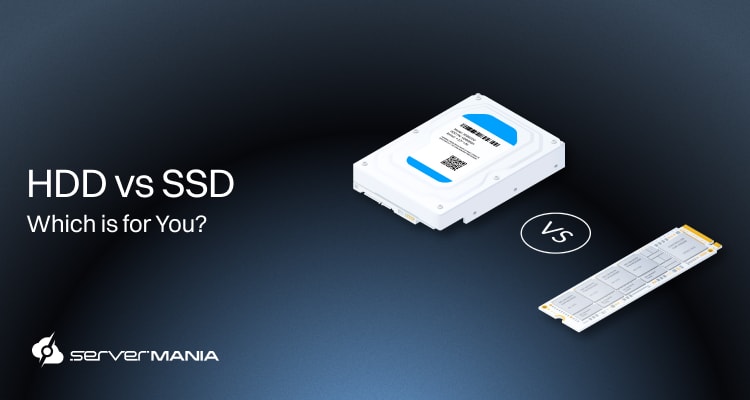
When it comes to building a server configuration in 2026, HDD vs SSD remains a core factor that you would need to analyze, affecting speed, scalability, and cost. The mechanical Hard Disk Drivers (HDDs) can house large data volumes, running at a lower speed, while the Solid State Drives (SSDs) align better with workloads demanding speed.
So, there is no right option here – it all depends on what your data handling intentions are.
ServerMania brings long-standing expertise in dedicated servers and cloud servers (AraCloud) built for demanding workloads through our Storage Servers and Database Servers. Designed for low-latency and optimized for consistent IOPS, we guarantee a hosting experience built for performance, reliability, and predictable scalability.
In this guide, you will learn how HDD and SSD storage differ in real server environments and how to choose the right option for your workload, budget, and performance goals.
HDD vs SSD | Fundamentals for Server Storage
When we talk about HDD vs SSD, we’re pretty much following two entirely different approaches regarding handling data. This gets on a purely physical level.
For instance, HDDs rely on moving parts and magnetic disks, while SSDs utilize flash memory with no mechanical components at all. However, both options remain common in modern server environments, and understanding how each storage type works at a basic level helps you make better decisions before comparing performance and real workloads.
See Also: What is Secondary Storage?
What is a Hard Disk Drive (HDD)?
A Hard Disk Drive (HDD) stores data on spinning magnetic platters.
A mechanical arm reads and writes data as the disks rotate, and this design aligns best with the higher capacity and lower cost per terabyte. So, HDDs remain common in a lot of 2026 servers focused on bulk storage and long-term data retention.
Key HDD specifications:
- Storage Technology: With HDDs, the data is stored on a magnetic platter, which can only be accessed through the magnetic read/write head.
- Typical Capacity Range: HDDs are most commonly used for their low-cost and large capacity, which can range from GBs up to 22 TB per drive.
- Read and Write Speed: The read and write speed of HDDs is perhaps their biggest weakness, using a sequential process, much slower than SSDs.
- Latency and IOPS: The mechanical movement represents the greatest limitation that increases latency and lowers IOPs when compared to flash-based storage.
- Durability and Failure: The physical components of an HDD could be susceptible to vibration and wear over time due to their mechanical nature.
- Power Consumption: The continuous disk rotation increases the power consumption and requires a bit more cooling when compared to the non-moving SSDs.
- Cost per Terabyte (TB): The prices per terabyte remain the lowest on the market with HDDs, allowing large enterprise to easily scale their databases.
The specifications do not tell the whole story. Let’s go through the pros and cons to learn more!
| Advantages: | Limitations: |
| Low cost per terabyte reduces overall storage expenses. | High latency impacts performance-sensitive workloads. |
| High-capacity drives support dense storage configurations. | Limited IOPS restricts database and transactional use. |
| Suitable for long-term and infrequently accessed data. | Mechanical components increase failure risk over time. |
| Well-suited for all types of backups and archival systems. | Higher power usage raises operational costs. |
| Proven technology with broad hardware support. | Slower RAID rebuilds increase recovery windows. |
In short, HDDs fit storage-demanding server deployments where the capacity and cost control matter more than speed. So, they remain a practical option for predictable, non-sensitive loads.
See Also: M.2 vs U.2 SSD Storage Explained
What is a Solid State Drive (SSD)?
A Solid-State Drive (SSD) stores data on flash memory with no moving components. Data access happens electronically, which reduces latency and improves consistency, and the SSDs that power modern servers can handle performance-driven workloads.
Key SSD specifications:
- Storage Technology: With SSDs, the data is stored on NAND flash memory, which enables instant access without mechanical delay.
- Typical Capacity Range: Enterprise SSDs typically range from 480 GB to 15.36 TB per drive, balancing speed and density.
- Read and Write Speed: The sequential and random read write performance remains significantly higher than mechanical storage.
- Latency and IOPS: The electronic access delivers low latency and high IOPS across sustained workloads, making SSDs much faster.
- Durability and Failure: The absence of moving parts improves resistance to vibration and physical wear, increasing the SSD’s longevity.
- Power Consumption: The lower power draw ultimately reduces heat output and cooling requirements in server environments.
- Cost per Terabyte (TB): The pricing per terabyte remains higher compared to Hard Disk Drives (HDDs), because you’re paying for speed, not capacity.
| Advantages: | Limitations: |
| Low latency improves application response times. | Higher cost per terabyte increases storage budgets. |
| High IOPS support transactional and database workloads. | Lower maximum capacity per drive than HDDs. |
| Consistent performance under sustained workload. | Write endurance limits apply in heavy write scenarios. |
| Lower power usage reduces operational overhead. | SSDs are not ideal for large-scale cold storage. |
| Better reliability due to the lack of moving parts. | Higher replacement cost for small and large arrays. |
SSDs suit performance-focused server workloads where speed, responsiveness, and reliability drive infrastructure decisions. They deliver measurable gains in environments where storage latency directly affects application behavior.
See Also: How to Choose the Best Data Storage Solution

HDD vs SSD Use Cases in Modern Server Environments
As we’ve mentioned previously, when you’re comparing HDD and SSD, we’re pretty much trying to compare two entirely different technologies.
Different workloads have different demands for storage technology; therefore, for some projects, you can save a lot by going with HDDs. In turn for other workloads, speed is of the essence, so SSD is not only recommended – it’s a necessity.
Let’s go through some specific use cases and determine whether HDD or SSD will get the job done better and more cost-effectively.
Here’s your workflow decision framework:
| Use Case: | Recommended Storage: | Why? |
| Web Hosting and CMS Platforms | SSD | Low latency speeds up database queries and file access. Improves page load time. |
| Databases and Transactional Systems | SSD | Predictable response times keep transactions fast and stable under load. |
| Cloud Servers and Virtual Machines | SSD | Sustains concurrent operations without performance drops across instances. |
| Backups and Disaster Recovery | HDD | Lower cost per TB supports long-term storage at scale. |
| Streaming and Content Libraries | HDD | Efficient throughput for media files with lower infrastructure cost. |
| Big Data Analytics and Storage | HDD | Scales to large volumes while keeping storage costs controlled. |
| Gaming Servers and Multiplayer | SSD | Faster asset loading and better performance during peak usage. |
| AI Training and Data Repositories | HDD | Stores training data at low cost while compute handles processing. |
| Log Management and Monitoring | HDD | Handles high-volume retention for compliance and diagnostics. |
| e-Commerce Sites and Payment Systems | SSD | Low latency supports reliable checkout and responsive user actions. |
See Also: What is NVMe
HDD vs SSD Performance Benchmarks for Servers
The performance differences between HDDs and SSDs become clear under real server loads. There are a lot of metrics like latency, IOPS, and throughput that’ll directly affect databases, virtualization, and high-traffic applications.
To understand how HDDs compare against SSDs in server environments, we’ve pulled up a few metrics and numbers to help you grasp the differences.
| Performance Metric | HDD (Enterprise 7.2K to 10K RPM) | SSD SATA (Enterprise) | SSD NVMe (Enterprise) |
| Storage Interface | SATA or SAS | SATA or SAS | PCIe Gen3 or Gen4 |
| Sequential Read Speed | 100 to 220 MB/s | 500 to 560 MB/s | 3,000 to 7,000 MB/s |
| Sequential Write Speed | 100 to 200 MB/s | 450 to 520 MB/s | 2,500 to 6,500 MB/s |
| Random Read IOPS 4K | 75 to 180 IOPS | 50,000 to 100,000 IOPS | 400,000 to 1,000,000+ IOPS |
| Random Write IOPS 4K | 75 to 150 IOPS | 40,000 to 90,000 IOPS | 300,000 to 900,000+ IOPS |
| Average Latency | 4 to 10 ms | 80 to 120 microseconds | 10 to 30 microseconds |
| Performance Consistency | Degrades under load | Stable under load | Highly stable under load |
| Queue Depth Handling | Limited | Moderate | High |
| Impact During RAID Rebuild | Severe performance drop | Moderate performance drop | Minimal performance drop |
| Suitability for Databases | Poor | Good | Excellent |
| Suitability for Virtualization | Poor | Good | Excellent |
Did You Know❓
A single enterprise NVMe SSD could deliver more random IOPS than an entire rack of HDDs combined. This gap explains why modern databases shifted from spindle count scaling to flash-based storage.
See Also: RAM vs SSD
Upgrade Your Server Storage with ServerMania
Your storage performance defines how your infrastructure behaves under real load. Slow disks create bottlenecks across databases, applications, and virtual machines.
ServerMania equips all servers with enterprise-grade NVMe SSD storage built for low latency and sustained performance. From dedicated servers to AraCloud cloud servers, NVMe drives deliver high IOPS, fast data access, and consistent throughput across demanding workloads.
- Storage Servers at ServerMania focus on predictable performance and scalability without mechanical limitations.
- Database Servers leverage NVMe SSDs to maintain fast query execution, stable transaction processing, and reduced rebuild times in RAID environments.
By standardizing on NVMe SSD technology, ServerMania removes storage as a limiting factor. Hence, your applications scale faster, respond quicker, and remain stable under peak demand.
See Also: What is RAID

The ServerMania Advantage!
ServerMania builds infrastructure for performance-first workloads, and every platform focuses on speed, reliability, and predictable behavior under load.
ServerMania runs all servers on top-tier NVMe SSD storage built for low latency and sustained IOPS, so your applications stay fast and responsive under real workloads. Global data centers in North America and Europe reduce network delay, while redundant infrastructure supports a 100 percent uptime SLA for mission-critical systems.
You get 24/7 technical support, flexible deployment across dedicated or AraCloud cloud servers, and balanced configurations that prevent storage, compute, or network bottlenecks.
💬If you want to take your storage to the next level, book a free consultation or get in touch with ServerMania’s 24/7 customer support. We’re available right now!
Was this page helpful?
About the author