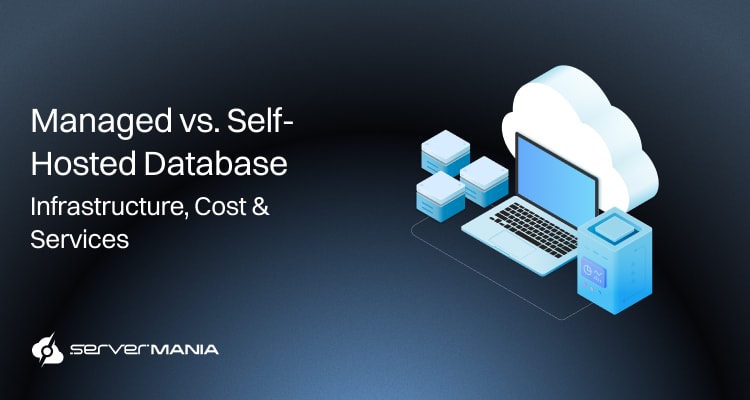
Database server cost, whether it’s managed or self-hosted, depends on the database size, performance needs, availability, and level of service. For instance, a small deployment requires fewer resources than a large-scale one, whether managed or not. Understanding these costs helps businesses, developers, and IT teams choose between managed and self-hosted database solutions.
Here at ServerMania, we understand the importance of budgeting when selecting infrastructure, and we provide Database Hosting and Storage Servers designed for workloads ranging from small databases to high-performance business applications. We help teams choose the correct database infrastructure for their unique needs without overspending or underprovisioning.
This guide breaks down how database server costs are formulated and compares managed and self-hosted options at different workload levels.
How Much Does a Database Server Cost?
You can’t put the cost of a database infrastructure into a single number. It depends on the infrastructure, resources, performance, and management level you need. For example, a small database used by just a few users has vastly different requirements from database infrastructure that supports large-scale SQL Server workloads with high-volume transaction processing.
Here are all the factors that directly influence the cost of a database:
- Hardware: CPU, memory resources (RAM), and SSD storage.
- Software: Licensing model, database software, and setup fee.
- Network: Bandwidth, connections, and infrastructure throughput.
- Availability: Recovery tools, backups, uptime, and administration.
- Security: Infrastructure’s security features and data protection.
- Administration: Server management, technical support & control.
Most importantly, whether you use your own infrastructure, cloud infrastructure, or a hosting provider.
The type of database hosting also affects the total cost.
Businesses typically choose between self-hosted servers, cloud-based virtual machines, and managed database platforms. Each approach offers a different balance between pricing, performance, control, and administrative work. When evaluating hosting solutions, you must look beyond the server price. The total cost also includes the infrastructure, management, maintenance, backups, security, and the support.

See Also: Database Server Cost: Essential Factors to Consider
Managed vs Self-Hosted Database Explained:
The main difference between managed and self-hosted databases is who handles the infrastructure, management, and database administration.
A managed database means that the provider handles the setup, maintenance, backups, security, and ongoing support. In contrast, with a self-hosted infrastructure, your own team manages the underlying server as well as everything running on it.
It’s probably easy to assume which is cheaper, but let’s take a look at exactly what it means to have managed services at your disposal and being fully on your own.
Managed Database
A managed database is typically an all-in-one service where the provider handles much of the day-to-day management. The provider typically takes care of routine operational tasks, while your developers and users interact with the database via applications, management tools, or administrative interfaces.
This means that instead of setting up the infrastructure and installing database software, you simply describe what you need and the provider handles it from there. You just select a plan based on your requirements that include database resources, performance, and all of the features you require.
| What Provider Handles? | What You Handle? | |
|---|---|---|
| Infrastructure | Compute, storage, networking, and underlying hardware. | Selecting the appropriate configuration. |
| Database Setup | Initial database installation and configuration. | Creating databases, schemas, and users. |
| Server Backups | Automated backups and backup storage. | Deciding retention and recovery requirements. |
| Server Security | Infrastructure security, patches, and available security features. | Database permissions and application access. |
| Performance | Infrastructure monitoring and available optimization tools | Query and application database optimization |
| System Updates | Database and system maintenance. | Testing application compatibility. |
| System Monitoring | Infrastructure and service monitoring. | Monitoring application-specific issues. |
| Resource Scaling | Increasing available resources through supported options. | Choosing when additional resources are needed. |
| Troubleshooting | Infrastructure and service-level issues. | Application and query-related issues. |
💡The main advantage is reduced administrative work.
Your team still manages the database itself, including the structure, data, users, and application. The provider manages much of the infrastructure and routine operational work around it.
This makes managed databases attractive for teams that want to focus on their applications rather than spending significant time maintaining database servers.
See Also: Cloud SQL Database Hosting: Benefits, Types & Use Cases
Self-Hosted Database
A self-hosted database, unlike managed infrastructure, places a large amount of responsibility on your team. It starts with choosing the server itself. This means your team builds the database piece by piece, translating into the operating system, configuration, database software, and all surrounding services.
Not to mention the database administration and security, which is another layer or reponsibility, which might turn out to be challenging for inexperienced teams.
The advantage here is an exceptional level of control.
Your team decides everything from how to set up the server to exactly where data is stored, how backups are managed, and how far the database optimization goes.
Here is everything your team would be responsible for:
- Infrastructure: Provisioning and maintaining the servers, networking, and computing resources.
- Database Setup: Installing the software and configuring users, permissions, and connections.
- Storage Setup: Managing SSD storage, capacity, expansion, and storage such as object storage.
- Server Backups: Creating backup schedules, managing retention, and storing the backup copies.
- Database Security: Configuring access controls, authentication, firewalls, encryption, and patches.
- System Updates: Installing OS and database updates and testing them before applying changes.
- System Monitoring: Tracking server health, database performance, and the total storage usage.
- Troubleshooting: Investigating any infrastructure, database, and application-related problems.
That’s only the tip.
There is also handling technical issues internally or relying on external support, documentation, a knowledge base, or chat support, as well as handling scaling when needed, as needed to support growing databases. This surely brings many challenges revolving around self-hosting databases.
See Also: PostgreSQL vs MySQL Performance and Features Comparison
Managed vs. Self-Hosted Database Cost Comparison
When comparing managed and self-hosted databases, we need to look much deeper into the price of the raw hardware. A managed service often includes database management, backups, monitoring, security, technical support, and other services.
With a self-hosted database, these responsibilities remain with your team.
With managed services, it’s always more expensive, but how much exactly depends on what’s included. Not all providers and hosting plans offer the same set of services. The actual cost also depends on the database size, required performance, storage, availability, security features, and level of support.
To keep the comparison consistent, the examples below focus on the essential resources (no advanced features) required to run each database level.
| Database: | Typical Use Case: | Self-Hosted Cost: | Managed Cost: |
|---|---|---|---|
| Small | Web-Hosting & Small-Scale Applications | 💲 | 💲💲 |
| Medium | Business Applications and Growing Websites | 💲💲 | 💲💲💲 |
| Large | High-Traffic Applications and Larger Workloads | 💲💲💲 | 💲💲💲💲 |
| Performance | Large Applications and Demanding Processing | 💲💲💲💲 | 💲💲💲💲💲 |
See Also: Choosing Database Hosting Server: Performance, Infrastructure & Scalability
Database Cost Example:
Note: We’re using real ServerMania database configuration pricing at the time of writing. These prices are subject to change due to market conditions, and might not reflect the pricing at the time of reading.
For a small production database, we can use the AMD EPYC 4124P as the baseline:
- Server: AMD EPYC 4124P
- CPU: 4 cores, 3.8 GHz / 5.1 GHz
- Memory: 32 GB DDR5
- Storage: 1 TB NVMe
- Bandwidth: 1 Gbps, 100 TB monthly
- Self-hosted infrastructure cost: $159/month
If this configuration were to be fully managed, all the additional management services would be added on top of the baseline infrastructure cost.
Note: High availability setups require multiple servers or replicas to ensure redundancy.
Dedicated Databases vs. Cloud Databases
Dedicated and cloud databases offer different approaches to database hosting, infrastructure, and cost management. A dedicated database runs on physical server resources reserved for your workload, while a cloud database runs within a cloud platform and typically offers much more flexible resource allocation.
- Dedicated databases provide complete control over the underlying infrastructure, making them suitable for workloads that require consistent performance.
- Cloud databases offer greater flexibility, allowing businesses to adjust resources as workloads change and choose from different service and pricing models.
While cloud-managed databases typically offer predictable monthly operating expenses, data transfer costs can contribute significantly to the overall expense of cloud databases.
In turn, dedicated databases offer more predictable infrastructure costs and greater control over the underlying server resources.
Note: Provisioning for high input/output operations per second can increase cloud billing significantly.
ServerMania Database Hosting Services
Choosing the correct database model depends on factors such as workload predictability and capital availability. ServerMania provides database hosting options with essential features, transparent pricing, and infrastructure control through Database Hosting & cloud platform (AraCloud).
Choose managed services when you want flexible pricing and reduced administration, or select a bare metal Dedicated Server when you need complete control and robust security. We strongly encourage you to explore ServerMania’s Database Hosting Solutions and find the right infrastructure for your project.
💬If you have any questions, get in touch with our 24/7 customer support or book a free consultation to discuss your next database project with an expert. We’re available right now!
Frequently Asked Questions:
What is the best storage for a database server?
High-performance SSDs for databases are significantly more expensive than standard storage solutions, but they provide faster access to data and support demanding workloads. Hence, for MySQL and other database engines, fast storage helps optimize performance and improve reliability.
What database management tools are available?
Database management tools allow visual management through web interfaces, making common tasks easier for administrators and developers. These tools often support database configuration, monitoring, backups, and migration without requiring every task to be performed from the command line.
Is Linux good for database hosting?
Linux is widely used for database hosting because it provides flexibility, strong security options, and extensive support for database software. It also gives administrators full control over the server environment and the resources used by the database.
Is pay-as-you-go database hosting cheaper?
Pay-as-you-go pricing lets you pay for the resources and services you use instead of committing to a fixed infrastructure package. It is particularly relevant for projects with changing resource requirements, although fixed infrastructure often provides more predictable costs for consistently high usage.
Do database servers include a free SSL certificate or free domain?
A free SSL certificate and free domain are common promotions with web hosting services, but they are not normally core database hosting features. You might receive free SSL with a hosting account, while database security requires separate configuration and access controls.
How do I migrate a database to a new server?
Database migration typically involves preparing the new server, transferring the database, verifying the data, and testing the application before switching over. After you register or create an account with your new provider, follow its migration documentation and verify the database works correctly before moving production traffic.
Was this page helpful?
About the author