Self-hosting a media server gives you complete ownership of your streaming environment. Instead of relying on third-party platforms, you control where your content is stored, how it is organized, who can access it, and how it is delivered. Paired with dedicated underlying infrastructure, self-hosting offers greater performance, scalability, and flexibility.
At ServerMania, we provide enterprise-grade infrastructure for IPTV, video streaming, and self-hosted media platforms. Our dedicated servers and cloud platform (AraCloud) deliver the performance, storage, and network connectivity needed to power reliable streaming services.
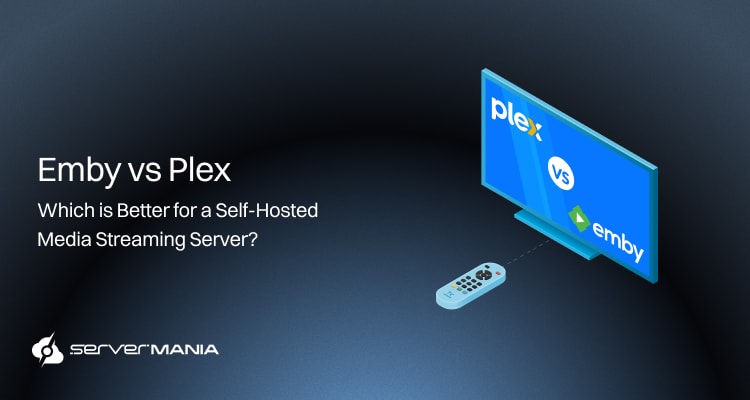
In this guide, we’ll compare Emby vs Plex, the leading media server software solutions. We will explore their features, installation process, and help you choose the right media server software for your service.
What is a Streaming Media Server
A media server is a dedicated or cloud server for storing and processing media files like video, music, audio, and photos over a network. Small-scale businesses and enterprises alike deploy streaming media servers to power IPTV platforms, on-demand libraries, and live streaming.
Instead of requiring viewers to download an entire file, the server sends content in small data packets, allowing each client device to begin playback almost instantly across the internet or a local network.
A streaming media server provides the hardware capabilities, bandwidth, and transcoding necessary to deliver content to many users at the same time. Whether deployed on Linux or Windows, it supports a wide range of operating systems, different devices, and varying connection speeds. By itself, the server is only used for storing the files, and the media server software on top is what organizes content into a media library, manages metadata, and controls access and allows streaming across multiple platforms.
This is where solutions like Plex and Emby come into play.
The Role of Media Server Software
We now know that the underlying infrastructure, the media streaming server, is the foundation, and the media server software is what manages the stored media files.
The purpose of solutions like Plex and Emby is to allows searchable media library, instead of browsing folders manually, deliver TV episode details, album artwork, and other metadata. The software is also responsible for user accounts, security, remote access, and permissions through an intuitive interface that administrators use to control, manage, and deliver content from the server to the client devices.
Note: Media servers deliver content using protocols like RTMP, WebRTC, TCP, and UDP.
Emby vs Plex: Which Should You Choose?
While both Emby and Plex are leading media server software solutions that help IPTV establishments manage, organize, and stream their media, they offer distinct features.
While they share most of the core functionalities like remote access, transcoding, and media library, they differ in customization, pricing, and performance.
See Also: What is IPTV and How Does it Work?
What is Emby?

Emby is a self-hosted media server software that allows you to turn a cloud or dedicated server into a centralized media server for storing and organizing digital content. It scans media files, builds a media library, and provides artworks and descriptions. Emby supports remote access, transcoding, multiple operating systems, and a wide range of client devices, making it a popular choice for businesses and users who want greater control over their streaming environment.
In addition, Emby allows hardware acceleration without a paid tier on many devices, which makes it one of the leading media streaming software applications.
Note: Both Plex and Emby support Live TV and DVR functionalities.
What is Plex?

Plex is one of the most widely used media server software solutions for organizing and streaming digital content. Like Emby, it converts a dedicated or cloud server into a centralized area for managing movies, TV shows, music, photos, and other media files.
Plex automatically organizes your content, enriches it with metadata, and lets users play content from a browser, mobile device, gaming console, Apple TV, smart TVs, and other compatible platforms. It offers a polished interface, extensive device support, and premium features, which have made Plex one of the most recognized names in media streaming. However, Plex requires a paid subscription for advanced features like hardware transcoding, but Plex really supports the playback of virtually any music file format.
Note: Plex is often recommended for beginners due to its ease of use.
| Media Streaming Feature: | Emby: | Plex: |
|---|---|---|
| Automatic media library organization | ✅ | ✅ |
| Metadata Downloads | ✅ | ✅ |
| Remote Access | ✅ | ✅ |
| Live TV Support | ✅ | ✅ |
| DVR Functionality | ✅ | ✅ |
| Hardware Transcoding | ✅ (Premiere) | ✅ (Plex Pass) |
| Multi-User Accounts | ✅ | ✅ |
| Parental Controls | ✅ | ✅ |
| Plugin Support | ✅ | ⚠️ Limited |
| Extensive Customization | ✅ | ⚠️ Moderate |
| Free Version | ✅ | ✅ |
| Premium Subscription | Emby Premiere | Plex Pass |
| Offline Downloads | ✅ (Premiere) | ✅ (Plex Pass) |
| Intro Skip | ❌ | ✅ |
| Free Ad-Supported Movies & TV | ❌ | ✅ |
| Open Metadata Editing | ✅ | ⚠️ Limited |
As we can see, both platforms provide free versions with optional premium subscriptions for enhanced features and support everything an IPTV service might require. To go deeper and understand what sets them apart, let’s go through the advantages and disadvantages.
See Also: How to Start Your Own IPTV Service
Emby vs Plex: Advantages & Disadvantages
Both Emby and Plex are excellent choices for media server software, but each of these platforms has its unique strengths and limitations. For instance, while Emby focuses on flexibility and personalization, Plex prioritizes ease of use, intuitive interface, and device compatibility.
Comparing their advantages and disadvantages will make it much easier to determine which solution best matches your streaming needs and server environment.
| Emby Advantages: | Emby Limitations: |
|---|---|
| Extensive customization options allow a great level of personalization. | Smaller user community, meaning fewer guides, documentation, and data. |
| Fine-grained user permissions and access control grant security. | Interface is less polished than Plex, which could be challenging for beginners. |
| Strong plugin support, allowing in-depth modification capabilities. | Some of the most advanced features require the paid Emby Premiere. |
| Greater control over metadata and library organization for specialization. | Fewer third-party integrations, which could be challenging in some cases. |
| Flexible self-hosted deployment supporting both cloud and dedicated servers. |
Did You Know❓
Modern media server software automatically adjusts video quality through transcoding, allowing viewers with slower internet connection speeds to continue streaming content without downloading the entire file.
| Plex Advantages: | Plex Limitations: |
|---|---|
| Beginner-friendly interface simplifies setup and daily media management. | The hardware transcoding and several advanced features require Plex Pass. |
| Modern interface delivers a polished and consistent user experience. | Less customization compared to Emby for advanced configurations. |
| Excellent device compatibility across smart TVs, streaming devices, and mobile platforms. | Limited plugin support following the removal of the official plugin ecosystem. |
| Large user community with extensive guides, documentation, and support resources. | Greater reliance on Plex services for some remote features and account management. |
| Free streaming content and Live TV options provide additional entertainment. |
By now, it’s clear that both Emby and Plex are fully capable media server software solutions, but they prioritize slightly different requirements. Emby really shines for customization and server-level control, while Plex prioritizes ease of use and compatibility.
The right choice depends on your streaming goals, technical requirements, and the level of flexibility you expect from your media server. In the next section, we’ll compare the two platforms side by side to help you determine which solution best suits your deployment needs.
Did You Know❓
Streaming servers minimize latency using geographically distributed servers. This ensures viewers from different geographic regions can view content instantaneously.
Emby and Plex Installation Process
Both Emby and Plex are really easy to install, whether you’re deploying the media streaming server on a Windows or Linux operating system.
While the setup steps differ slightly between platforms, both solutions provide installation packages for Windows and Linux, allowing administrators to quickly build a centralized media server, connect their media files, and begin streaming content.
Windows Installation
Installing either platform on Windows is a simple process:
- Download the Windows installer from the official Emby or Plex website.
- Run the installer, follow the setup wizard, and wait for the installation.
- Launch the server application and open the web-based management.
- Create an administrator account and add folders containing the media.
- Allow the server to scan your library and download media’s metadata.
- Configure remote access, transcoding, and user permissions if needed.
- Connect your client devices, and you’re ready to begin the streaming.
That’s it. The Windows installation is quite straightforward.
Linux Installation
The installation on Linux, whether it’s Debian or Ubunto is more complicated compared to the Windows setup, especially if you’re not experienced with using the Terminal.
Note: You’ll need a Linux account with sudo privileges!
Download the Installation Package:
First, download the latest Emby or Plex Server package for Debian or Ubuntu:
wget https://github.com/MediaBrowser/Emby.Releases/releases/latest/download/emby-server-deb_amd64.debor
wget https://downloads.plex.tv/plex-media-server-new/latest/debian/plexmediaserver_amd64.debNote: Emby installation involves choosing the .deb or .rpm package for Linux.
Installing the Installation Package:
Then you need to install the package using the Debian package manager:
sudo dpkg -i emby-server-deb_amd64.debor
sudo dpkg -i plexmediaserver_amd64.debIf the installer reports missing dependencies, resolve them automatically:
sudo apt-get install -fThen you must enable Emby to start automatically whenever the server boots:
Enabling and Starting the Service:
sudo systemctl enable emby-server
sudo systemctl start emby-server
or
sudo systemctl enable plexmediaserver
sudo systemctl start plexmediaserver
After the service starts, complete the configuration from your web browser. You need to navigate to the appropriate address based on the installed service:
- Emby: http://SERVER-IP:8096
- Plex: http://SERVER-IP:32400/web
From there, create an administrator account, set up your media library, add your media files, and enable remote access and transcoding as needed. This approach gives you a fully operational streaming media server ready to deliver content to compatible client devices.
Launch Your Media Streaming Server with ServerMania

ServerMania provides enterprise-grade hosting infrastructure optimized for streaming media server (IPTV) deployments.
ServerMania offers cloud servers and dedicated server solutions, giving you the flexibility to deploy the infrastructure that best fits your workload. Colocation services are part of ServerMania’s offerings, allowing you to take advantage of owning your own hardware hosted in enterprise-grade data centers.
High-security and 99.99% network uptime SLA are key value propositions of ServerMania. Backed by top-tier global data centers, customizable configurations, and high-bandwidth networking, ServerMania provides the reliable foundation your IPTV service needs to deliver a seamless client viewing experience.
💬If you have questions, contact our 24/7 customer support or book a free consultation to discuss your next media streaming project with an expert. We’re available right now!
Frequently Asked Questions
Can I start an IPTV service for personal use?
Yes. Many people build small IPTV platforms for personal use to stream their media across a home network from a computer or dedicated server before expanding to commercial deployments.
What media formats do IPTV platforms support?
Most IPTV solutions support a large selection of different formats, allowing you to stream almost any video file after it has been properly encoded. Popular streaming software also supports adaptive bitrate streaming for improved playback.
Is Universal Media Server suitable for IPTV?
Universal Media Server is an excellent choice for home media streaming, but it is primarily designed for personal use rather than large-scale commercial IPTV deployments with thousands of subscribers.
Can IPTV services broadcast live sports events?
Yes. IPTV platforms can deliver movies, TV shows, sporting events, news, and even podcasts, provided you have obtained the appropriate licensing rights for the content.
What are the key features of a commercial IPTV?
The key features include subscriber management, middleware integration, content delivery, billing, analytics, and support for multiple devices to create a seamless experience for viewers.
Is Plex a good example of an IPTV platform?
Plex years ago focused primarily on organizing and streaming personal media libraries. Today, it also offers free ad-supported channels, making it an example of how media platforms can expand beyond traditional home streaming.
Was this page helpful?
About the author