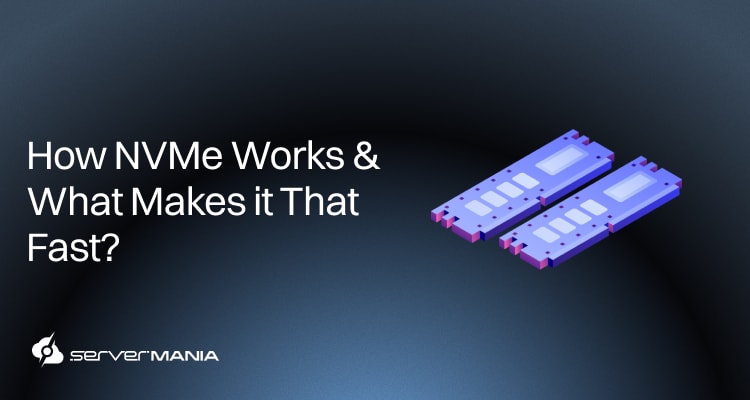
NVMe, or Non-Volatile Memory Express, is a storage protocol specifically for flash memory. It connects the SSD straight to the CPU through PCIe lanes, making it one of the fastest storage controllers ever created. It reduces latency to the absolute minimum, pushes the boundaries of storage controllers to the limit, and provides solutions to small businesses and enterprises alike.
As a leader in dedicated server infrastructure, here at ServerMania, we focus on delivering top storage solutions through Storage Servers and Database Servers.
With extreme IOPS demands, low-latency access, and sustained throughput, many enterprises, developers, and data-driven teams rely on ServerMania for NVMe-powered hosting platforms.
Today, we’re diving deep into the architecture of NVMe, exploring what makes them so fast and reliable, how they work, and whether NVMe is your next step towards enhancing your storage.
NVMe Explained: What is NVMe?
The NVMe specification is the industry-standard, high-speed, low-latency controller interface for flash drives that utilize PCIe (Peripheral Component Interconnect Express) to provide much faster speeds than the traditional SATA cables.
NVMe (Non-Volatile Memory Express) successfully offers these a lot quicker read and write speeds required by most of today’s applications. NVMe uses the proximity of the PCIe-based (PCI Express) serial bus interface for high performance I/O.
Put simply, a SATA SSD is connected to the motherboard using SATA cables, while an NVMe drive (NVM Express) communicates via PCIe slots on the motherboard itself. If you don’t know why this helps, picture organizations counting on intensive I/O applications like transactional databases, AI/ML, and many big data processing systems, where every millisecond counts.
Hence, NVMe is the best option for such applications, although using NVMe could be slightly costly. However, the advantages surely outweigh the disadvantages, so let’s keep exploring.
See Also: NVMe Drives on Dedicated Servers
NVMe Storage: Advantages & Disadvantages
While NVMe storage provides a lot of advantages that appeal to most businesses dealing with data-demanding applications, there are a handful of disadvantages that we can’t simply ignore.
To see the whole picture, it’s best to weigh the standout pros and cons!
| NVMe Advantages: | |
|---|---|
| Advantage: | Why It Matters: |
| Ultra Low Latency | Direct PCIe communication completely removes the legacy controller layers. This reduces response times from milliseconds to microseconds. |
| High Throughput | PCIe bandwidth supports several gigabytes per second per drive. This allows faster data ingestion, backups, and large file transfers. |
| Massive Parallelism | NVMe supports thousands of queues with thousands of commands each. This design handles heavy workloads without queue bottlenecks. |
| Better CPU Efficiency | NVMe reduces interrupts and context switching. This frees CPU resources for application processing instead of storage management. |
| Ideal for Databases | Fast random read and write operations improve query execution, indexing, and transaction consistency under load. |
| Scales with PCIe | New PCIe generations increase bandwidth per lane. Storage performance grows without changing the protocol or software stack. |
While advantages significantly outweigh the disadvantages, there are certain limitations with the NVMe storage that impact not only enterprises but also small businesses.
| NVMe Disadvantages: | |
|---|---|
| Disadvantage: | Impact: |
| Significantly Higher Cost | NVMe drives and compatible platforms cost more. This increases upfront investment for large-scale deployments. |
| Hardware Dependency | Systems need sufficient PCIe lanes and modern chipsets. Poor lane allocation limits performance gains. |
| Higher Thermal Output | High sustained throughput generates heat. This requires proper airflow and cooling in dense server environments. |
| Not Cost-Effective for Light Workloads | Simple applications and low IOPS tasks show minimal performance difference compared to SATA SSDs. |
So, what did we learn?
It’s clear that NVMe offers clear performance gains, but the cost of a fully-fledged NVMe storage can really overwhelm many teams. Let’s continue unwrapping!
See Also: Server Storage Requirements | How Much Storage Do You Need?
NVMe Form Factors Explained
NVMe is a protocol, not a physical format.
In short, protocol sets performance limits, while the physical format controls heat dissipation, serviceability, and how many drives a chassis supports. In server environments, airflow, drive spacing, and power delivery directly affect the drive’s sustained performance and reliability.
Let’s go through the different form factors:
M.2 NVMe
M.2 NVMe drives connect directly to the motherboard using a compact slot. This design saves space but limits airflow and power delivery. Because the drive sits flat against the board, heat builds up faster under sustained load, which leads to throttling in server environments.
- Offers a small footprint for dense systems
- No hot swap support (requires shutdown)
- Low heat headroom under continuous loads
- Best suited for boot drives & light-duty tasks
U.2 NVMe
U.2 NVMe uses a 2.5-inch drive format connected through PCIe. This form factor allows the drive to sit in a dedicated server bay with direct airflow from chassis fans. It supports higher power limits and maintains stable performance.
- It is hot swappable in most server chassis
- Better airflow and sustained performance
- Offers higher endurance options available
- Common in storage and database servers
U.3 NVMe
U.3 expands on the U.2 design by using a universal connector. The same bay supports NVMe, SATA, or SAS drives, depending on what is installed. This simplifies server design and allows easier upgrades without changing backplanes or cables.
- U.3 is backward compatible with U.2
- Simplifies mixed storage environments
- It is designed for enterprise platforms
- Ideal for flexible server deployments
EDSFF NVMe
The EDSFF is designed for modern data centers where density and efficiency matter most. The shape improves airflow across the drive surface and supports higher power withdrawal. Hence, it allows consistent performance even when many drives operate in parallel.
- Optimized for high capacity per rack
- Superior cooling for sustained IOPS
- Designed for large-scale deployments
- Used in modern data center designs
In short, these form factor choice affects uptime and scalability!
Note: For production servers, U.2, U.3, and EDSFF deliver better thermals, serviceability, and long-term performance than M.2.
See Also: M.2 vs. U.2 Storage Explained
NVMe SSD Vs. SATA SSD: Comparison
While both NVMe and SATA SSDs both use flash memory, they rely on different interfaces, and the connection type vastly favours NVMe regarding speed.
This difference affects how each drive handles specific operations; therefore, the best option really depends on the specific data-related workload.
NVMe Vs. SSD Benchmarks:
A benchmark by WeHaveServers fully compared SATA SSDs (Samsung PM893 and Intel D3-S4610) vs (Samsung PM9A3 and Intel P5510) NVMe on the same AMD EPYC server. Both of these storage devices are enterprise-grade, benchmarked using fio and sysbench.
Here are the results:
| Storage Operation: | SATA SSD: | NVMe SSD: |
| Sequential Read | ~540 MB/s | ~7050 MB/s |
| Sequential Write | ~500 MB/s | ~6400 MB/s |
| Random Read IOPS | ~98,000 | ~1,200,000 |
| Random Write IOPS | ~88,000 | ~950,000 |
| Read Latency | ~0.120 ms | ~0.015 ms |
| Write Latency | ~0.180 ms | ~0.020 ms |
It’s clear that the sequential and random read/write speeds of NVMe are significantly higher, the latency is lower, and overall performance is better. This shows 10 x faster performance, which is a dramatic performance difference, especially in I/O workloads.
When illustrated, a 10 x faster performance difference looks like this:

🔥The performance gap looks dramatic, but SATA SSDs still serve a clear purpose!
There are many workloads that fail to saturate NVMe bandwidth, so real-world gains remain limited for boot drives, file storage, and low-concurrency applications. SATA SSDs also cost less, run cooler, and fit older platforms, which keeps them practical for backups, replicas, and general-purpose servers, which we’ll review a bit later.
See Also: What is RAID and compare Software RAID vs. Hardware RAID
When to Choose NVMe over SSD?
Choosing between NVMe and SATA SSD depends on workload behavior, not headline speeds. The interface only matters when the storage becomes the limiting factor in request processing, concurrency, or response time.
So, you should prioritize NVMe when your server handles sustained IOPS, parallel queries, or latency-sensitive applications. Hence, for the basic systems, SATA SSD still delivers consistent performance without added platform complexity.
Here’s an easy-to-scan overview:
| Storage Operation: | Best Option: | Why: |
| Sequential Read | NVMe SSD | The PCI bandwidth moves large files faster. |
| Sequential Write | NVMe SSD | Higher throughput sustains heavy tasks. |
| Random Read | NVMe SSD | Parallel queues reduce access latency. |
| Random Write | NVMe SSD | Handles small IOPS workloads efficiently. |
| Depth Workloads | NVMe SSD | Thousands of queues prevent congestion. |
| Low Latency Transactions | NVMe SSD | Direct CPU access shortens response time. |
| Concurrent Database Access | NVMe SSD | Multiple threads process requests in parallel. |
| Boot Drive for Basic Systems | SATA SSD | The server boot time shows minimal difference. |
| Light Desktop Workloads | SATA SSD | Storage rarely becomes a bottleneck. |
| Legacy System Compatibility | SATA SSD | Works with older chipsets and controllers. |
It’s clear that NVMe delivers measurable value.
Workloads with parallel access, heavy transactions, or constant read and write pressure benefit most from PCIe-based storage. In turn, SATA SSD remains effective for predictable tasks with low concurrency, like boot drives, backups, and general-purpose servers, which rarely stress the SATA interface enough to justify NVMe.
See Also: Secondary Storage Devices
NVMe Powered Dedicated Servers at ServerMania
Upgrading to enterprise NVMe storage eliminates legacy bottlenecks from your infrastructure. You instantly gain faster access times, higher IOPS, and consistent throughput support modern databases, virtualization, and data-driven applications. When storage performance affects user experience or revenue, NVMe becomes a practical requirement.
ServerMania delivers dedicated servers built for enterprise NVMe workloads!
Through our Storage Servers and Database Servers, you get dual 2.5-inch NVMe chassis with up to 8 TB per drive, tuned for sustained performance. When paired with top-tier data centers across North America, Canada, and Europe, your projects can run closer to users and data sources, which lowers latency and improves consistency.

Steps to Get Started:
Here’s how to take your storage to the next level with ServerMania!
- 1️⃣ Explore ServerMania’s dedicated servers to discover hardware capable of achieving the performance you require for your projects.
- 2️⃣ Go through ServerMania’s customizable configuration panel to tweak your server to perfection, controlling your first payment and monthly cost.
- 3️⃣ Place your order and deploy your server in minutes, backed by enterprise-grade hardware and global data center coverage.
💬If you need assistance, get in touch with ServerMania 24/7 customer support or book a free consultation to discuss your project with storage/database experts. We’re available right now!
Was this page helpful?
About the author