Ingress vs. LoadBalancer vs. NodePort is a critical comparison for developers, DevOps engineers, and system administrators who need to expose Kubernetes applications to external traffic. So, understanding how each option works helps you choose the right approach for routing requests, managing access, and controlling infrastructure costs, while streamlining your workflow.
Here at ServerMania, we understand the importance of being able to expose applications running inside a cluster. We provide the infrastructure foundation for Kubernetes deployments via Dedicated Servers or fully pre-configured (ready-to-deploy) AraCloud Kubernetes.
To help you understand which approach best fits your deployment, this guide compares LoadBalancer, Ingress, and NodePort, covering how each works, its advantages, and when to use it.
Application Exposure in Kubernetes Explained:
Kubernetes runs applications within a Kubernetes cluster, and the containers are organized into pods. By default, these applications running inside a pod cannot directly connect to external clients. To connect the apps to external clients, there are a few Kubernetes services that manage network traffic and allow apps to be discoverable when a client sends requests.
These services also support service discovery, making it easier for applications to communicate with one another within the cluster without tracking individual pod IP addresses.
Exposing services generally means making apps within containers (pods) reachable from outside the cluster and allowing workloads to access them through stable network endpoints. Based on the specific requirements, admins can use a ClusterIP for internal traffic, a NodePort to allow direct app access, or a LoadBalancer service to distribute the requests. For HTTP and HTTPS applications, an Ingress controller applies configured rules to direct requests to the correct backend.
So, choosing the right approach depends on how clients access the app, the level of load balancing, and the network infrastructure supporting the cluster.
See Also: What Is a Kubernetes Cluster?
What Is NodePort in Kubernetes?
NodePort is a Kubernetes Service type that exposes an application on a specific port across the cluster’s nodes, allowing external traffic to reach the app through a node’s IP address and the assigned node port.
NodePort creates a ClusterIP service allowing communication within the cluster. It uses a service port and target port to forward the requests.
NodePort is often useful when you need simple external access without configuring a full load balancer, although you must account for the TCP port’s access, firewall rules, and all of the security implications.
How Does NodePort Work?
NodePort can make an application accessible from outside the Kubernetes cluster. It opens a port on each cluster node to allow it. NodePort services allow external access to applications in Kubernetes.
When you create a Service object with type: NodePort, Kubernetes assigns a port from the default NodePort range. NodePort services expose applications on ports 30000-32767.
You then access the application using a node’s IP address and the assigned port, provided the network configuration and firewall rules allow incoming connections.
NodePort exposes the service on a static port on each Node’s IP. So, when an external client sends a request to this port, traffic hits the NodePort before being forwarded to the service. Then, Kubernetes networking easily routes the request to an appropriate backend pod through the Service’s endpoints.
Each node proxies the NodePort to the service’s endpoints. This method provides a straightforward way to expose applications, but NodePort is limited by port constraints since only one service can use a port.

See Also: Docker Vs Kubernetes: Which Container Platform Is Right for Your Infrastructure?
When To Use NodePort?
NodePort is suitable for development and testing.
It provides a simple way to access an application running inside a Kubernetes cluster without configuring an external load balancer or an ingress controller. You can also use it to test applications from a browser, connect to services from external clients, or troubleshoot connectivity.
NodePort also works well for small deployments where direct access through a node’s IP address and a specific port meets your requirements. For production workloads, consider whether exposing node ports, managing firewall rules, and handling external traffic manually fits your security and scalability needs.
Note: You can disable NodePort allocation for LoadBalancer services.
What Is LoadBalancer in Kubernetes?
LoadBalancer is a Kubernetes Service type designed to expose apps outside a cluster using an external load balancer. It provides a public or private IP address, allowing external clients to send requests to an application without connecting directly to individual nodes.
In supported cloud environments, Kubernetes provisions and configures the infrastructure through the cloud provider’s integration. LoadBalancer is costly as it provisions a cloud resource for each service. This makes it important to consider infrastructure costs when exposing multiple applications, especially when a single Ingress Controller with routing rules might handle HTTP and HTTPS traffic for services.
How Does a LoadBalancer Service Work?
When you create a Kubernetes Service with type: LoadBalancer, Kubernetes requests an external load balancer through the cluster’s cloud provider integration. LoadBalancer services expose applications externally using a cloud provider’s load balancer.
The load balancer provides an external IP address or hostname through which the clients access the application, while Kubernetes manages the Service configuration and routes incoming requests to the appropriate backend Pods. Traffic from the external load balancer is directed at backend Pods. So, the Service selects matching Pods using labels and forwards traffic to their target ports.
In cloud environments, LoadBalancer services automatically create NodePort and ClusterIP services. The ClusterIP provides an internal endpoint, while NodePort often serves as an additional path for traffic to reach the Service through cluster nodes.
This behavior depends on the Kubernetes implementation and the Service configuration, since some environments support load balancers that route traffic directly to Pods without allocating NodePorts.

See Also: Kubernetes Adoption vs. Single-Node Docker
When Should You Use LoadBalancer?
LoadBalancer is ideal for production applications that require external access through an own IP address or hostname. It works well for public APIs, web applications, and network services that receive frequent network requests. Configure the load balancer service in your Service specification to request external connectivity through the Kubernetes API.
Also, keep in mind the cost of provisioning a separate load balancer for each service. For multiple HTTP applications sharing one endpoint, Ingress is often more cost-effective.
What Is Kubernetes Ingress?
Ingress is not a Service type but a routing configuration. Instead of assigning a separate external IP address to every application, Ingress allows multiple Services to share a single external IP. An Ingress Controller processes the configured routing rules and directs the incoming requests to the appropriate backend Services based on hostnames and URL paths.
How Does an Ingress Resource Work?
An Ingress resource defines routing rules that determine how incoming requests reach the appropriate Kubernetes Services based on hostnames or URL paths. An ingress controller monitors these rules and configures the routing behavior to direct traffic to the correct backend applications.
Ingress is primarily used for HTTP/HTTPS traffic routing.
For example, one application might receive requests through example.com/shop, while another uses example.com/api, with both sharing the same external IP address. Ingress provides centralized TLS management. This allows you to configure HTTPS certificates and encrypted connections for multiple apps through a shared entry, reducing the need to manage separate external endpoints for each service.

See Also: Kubernetes Clusters on Dedicated Infrastructure
When Should You Use Ingress?
Ingress is suitable for production environments hosting multiple web apps or APIs behind a single shared external IP address. It allows you to route traffic based on hostnames and URL paths, while centralizing HTTPS configuration and TLS certificate management.
Use Ingress when you need flexible HTTP/HTTPS routing without provisioning a separate load balancer for every application. You will need an ingress controller installed in your Kubernetes cluster to process the routing rules and forward requests to the appropriate Services.
Note: LoadBalancer and NodePort operate at Layer 4 (TCP/UDP); Ingress operates at Layer 7 (HTTP/HTTPS).
Ingress vs LoadBalancer vs NodePort: Which Should You Choose?
Choosing between Ingress, LoadBalancer, and NodePort depends on exactly how you want to expose applications, manage incoming traffic, and control infrastructure costs.
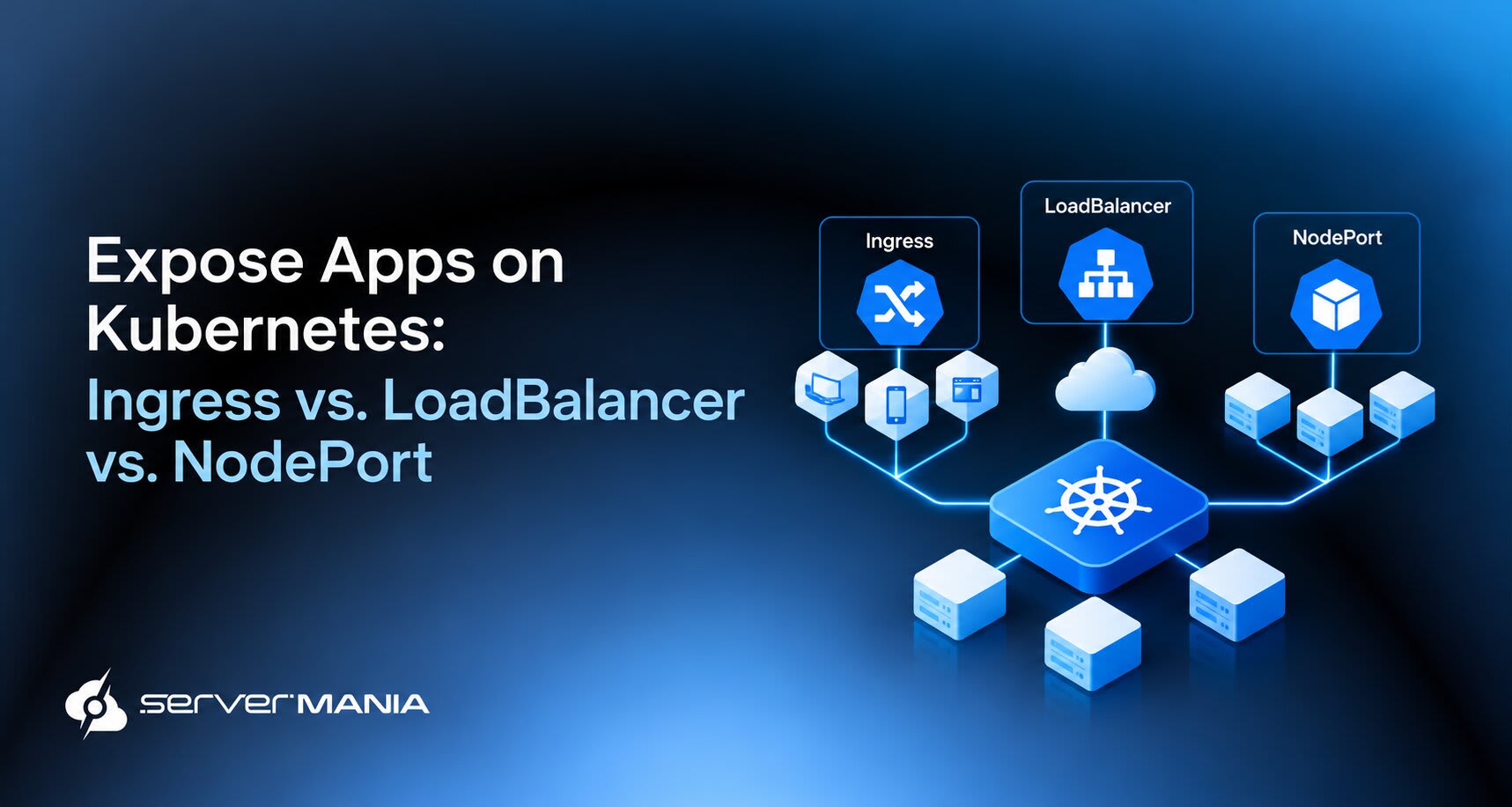
To sum things up:
- NodePort provides full access through a port on each cluster node.
- LoadBalancer exposes a Service through an external load balancer.
- Ingress routes HTTP/HTTPS requests through a shared entry point.
We’ve prepared a comparison table showing their main features side-by-side to help you select the right approach for your Kubernetes workloads.
| NodePort: | LoadBalancer: | Ingress: | |
|---|---|---|---|
| Primary Purpose | Exposes a Service through a port on each node. | Exposes a Service through an external load balancer. | Routes HTTP/HTTPS traffic to Services directly. |
| External Access | Node IP address + port. | External IP address or hostname. | Shared IP address or hostname. |
| Typical Traffic | TCP or UDP | TCP or UDP | HTTP/HTTPS |
| Requirements | Uses a configured NodePort | Uses the ports supported by the load balancer | Typically ports 80 and 443 |
| Multiple Apps | Separate ports or endpoints | Separate load balancer per Service | Routes multiple apps through one entry point |
| TLS Management | Configured by the application | Depends on the load implementation | Supports centralized TLS configuration |
In practice, these approaches often work together rather than compete. NodePort suits simple access and testing, LoadBalancer provides direct external connectivity, and Ingress simplifies routing for multiple web applications. Your choice depends on traffic, costs, and how much control you require.
See Also: How to Choose the Right Container Hosting Provider
Frequently Asked Questions:
What Is the Default Service Type in Kubernetes?
ClusterIP is the default service type in Kubernetes. It assigns a Cluster IP to a Service, allowing other pods to communicate with the appropriate pods through a stable internal endpoint. Use this ClusterIP type when your application needs to remain accessible only within the cluster.
Note: Headless services do not allocate a ClusterIP address.
How Do You Set a NodePort Value in Kubernetes?
Set type: NodePort in my service spec to expose an application through a node’s IP address. Kubernetes assigns a nodePort value from its configured port range, or you specify an available port manually. The Service uses a nodePort selector through its label selector pre-set to identify the Pods receiving traffic.
How Do You Expose a Service Externally in Kubernetes?
To service externally expose an application, choose the type of service that fits your requirements. NodePort provides access through a node’s IP address and port, while LoadBalancer requests an external load balancer. Ingress routes HTTP/HTTPS traffic to multiple Services through the same IP address, reducing the need for a separate external endpoint for every single service.
How Do Kubernetes Services Find the Correct Pods?
A Kubernetes Service uses a label selector, such as label app, to identify matching Pods. When you create a service named myapp, Kubernetes tracks matching endpoints and forwards requests to the appropriate pods. The Service also stores service metadata and configuration in an api object, which Kubernetes uses to maintain the desired state.
What Is the Difference Between a Service Port and a Target Port?
The port field defines the Service’s listening port, while targetPort identifies the port on the backend Pod. For example, myapp ports might expose port 80 through the Service and forward requests to port 8080 on each Pod. This lets clients access the service inside the cluster without needing to know how the application is configured internally on the Pod.
What Is an ExternalName Service in Kubernetes?
An ExternalName service maps a Kubernetes Service to an external hostname using a DNS CNAME record instead of routing traffic to Pods. For example, a DNS record or CNAME record points clients toward an external database hostname.
This approach supports service discovery for external dependencies without exposing pods or creating a traditional ClusterIP or NodePort endpoint. An example service using ExternalName is useful when applications need to reference an external service through a consistent Kubernetes Service name.
How Do You Choose the Correct Service for Internal Kubernetes Communication?
Choose the correct service based on how your application needs to communicate with other workloads. For communication with a pod internally, ClusterIP provides a stable endpoint within the cluster, while Kubernetes DNS lets other applications reach the Service using its DNS name instead of tracking individual Pod IP addresses.
Was this page helpful?
About the author